How to Switch to Digital Fax: A Practical Step‑by‑Step Guide
Understanding Digital Fax and Why It Matters
Traditional fax machines rely on analog phone lines, paper rolls, and manual handling. In today’s fast‑moving business environment, that process can slow down workflows, increase costs, and expose confidential information to unnecessary risk. Digital fax, sometimes called e‑fax or internet fax, transmits documents over the internet, turning a fax number into an email address or a cloud‑based inbox.
For U.S. companies, moving to digital fax aligns with broader digital transformation goals. It reduces paper waste, shortens delivery times, and integrates smoothly with common business tools such as Microsoft Office, Google Workspace, and CRM platforms. Understanding these benefits sets the stage for a confident migration.
Evaluating Your Current Fax Setup
Before you begin the switch, take inventory of how you currently use fax. Identify the number of physical fax machines, the volume of daily pages, and any contracts with telecom providers. This audit helps you estimate potential savings and informs the required capacity of a digital solution.
Ask yourself these questions:
- How many fax numbers do we need to maintain?
- Which departments rely on fax for regulatory compliance?
- What is the average inbound and outbound fax volume per month?
The answers will guide you in selecting a service that matches your business needs without over‑paying for unused features.
Key Features to Look for in a Digital Fax Service
Not every internet fax provider offers the same capabilities. When evaluating options, focus on the following features that directly impact workflow efficiency and security:
- Dashboard for monitoring usage and managing numbers.
- Automation such as email forwarding, OCR, and API hooks.
- Integration with existing document management or CRM systems.
- Security measures, including TLS encryption and audit logs.
The table below compares common feature sets across three typical service tiers.
| Feature | Basic Tier | Professional Tier | Enterprise Tier |
|---|---|---|---|
| Unlimited inbound fax | ✓ | ✓ | ✓ |
| API access for automation | ✕ | ✓ | ✓ |
| Dedicated support line | ✕ | ✓ | ✓ |
| HIPAA‑compliant security | ✕ | ✓ | ✓ |
| Custom branding on emails | ✕ | ✕ | ✓ |
Select the tier that aligns with your business needs while leaving room for scalability as your fax volume grows.
Step‑by‑Step Migration Process
1. Choose a Provider and Set Up Your Account
Start by signing up for a trial or a low‑commitment plan. During registration, you’ll claim a virtual fax number or port an existing one. The provider’s dashboard will guide you through the initial setup, including confirming email addresses and configuring default recipients.
2. Test Inbound and Outbound Faxes
Send a test document from an external fax machine and verify that it arrives in your email inbox or cloud storage. Likewise, fax a document from the digital service back to a traditional machine. Document any discrepancies and adjust settings such as file format (PDF vs. TIFF) or notification preferences.
3. Migrate Departmental Workflows
Roll out the new system department by department. Provide short training sessions that cover sending, receiving, and archiving faxes. Encourage users to adopt the integrated automation features—like automatic PDF conversion—to streamline their daily tasks.
Integrating Digital Fax with Existing Tools
Modern digital fax services offer APIs, email forwarding, and plug‑ins that allow seamless integration with tools you already use. For example, you can set up a rule in Outlook to automatically file incoming faxes into a specific SharePoint folder, or trigger a CRM entry when a fax from a key client arrives.
When planning integration, consider the following steps:
- Identify the business applications that handle document flow.
- Map out the desired automation points (e.g., “When fax received → create ticket”).
- Work with your provider’s technical support to configure API keys and webhooks.
- Test the end‑to‑end workflow before full deployment.
Effective integration reduces manual handling, improves data accuracy, and supports a more scalable fax solution.
Pricing Models and Cost Considerations
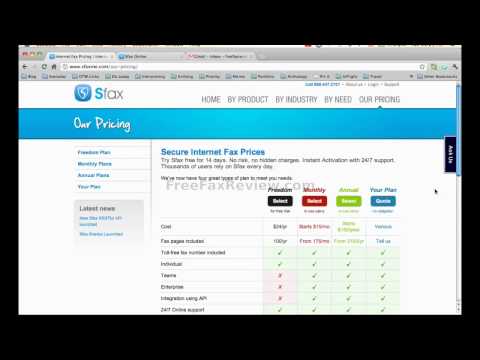
Digital fax pricing typically falls into three categories: per‑fax, per‑user, and subscription‑based plans. Per‑fax models suit low‑volume users but can become expensive as volume spikes. Subscription plans provide predictable budgeting and often include a set number of inbound and outbound pages.
Key cost factors to evaluate include:
- Monthly or annual commitment discounts.
- Additional fees for number porting or dedicated numbers.
- Costs for premium features such as API access or advanced security compliance.
Run a simple cost comparison: calculate your current spend on paper, toner, maintenance, and phone line charges versus the subscription fee of a digital fax provider. Many businesses discover a 30‑50% reduction in total fax‑related expenses within the first year.
Ensuring Security and Compliance
When handling sensitive documents—legal contracts, medical records, or financial statements—security is non‑negotiable. Choose a provider that offers end‑to‑end encryption, secure data centers located in the United States, and compliance certifications such as HIPAA or GDPR where applicable.
Implement internal policies that complement the service’s security features:
- Require strong passwords and two‑factor authentication for the fax dashboard.
- Set retention periods for stored faxes in line with industry regulations.
- Enable audit logging to track who accessed or forwarded a fax.
These steps help you maintain reliability and protect client data throughout the fax workflow.
Support and Ongoing Management
Even the most intuitive digital fax service can encounter hiccups. Look for providers that offer multiple support channels—live chat, phone, and ticketing systems—so you can get assistance quickly. A dedicated account manager can be valuable for larger organizations that need personalized onboarding or custom integrations.
Establish a routine for monitoring usage through the service’s dashboard. Regularly review inbound and outbound volume, error rates, and user feedback. This proactive approach helps you fine‑tune the system, keep costs under control, and ensure the service continues to meet evolving business needs.
Common Pitfalls and How to Avoid Them
Many businesses attempt a “quick switch” without fully mapping their existing fax processes, leading to missed faxes or duplicated effort. To avoid this, create a migration checklist that covers number porting, user training, and integration testing.
Another frequent issue is underestimating the importance of security settings. Even though the provider may offer encryption, failing to enable two‑factor authentication or neglecting to purge old faxes can expose sensitive data. Treat digital fax as a critical business communication channel, not just an ancillary tool.
Conclusion: Making the Move with Confidence
Switching to digital fax is a strategic decision that can streamline workflows, cut costs, and enhance security for U.S. businesses of any size. By assessing your current setup, selecting a service with the right features, and following a disciplined migration plan, you’ll position your organization for smoother document exchange and future scalability.
Ready to explore options? Visit the best digital fax service for a curated list of providers and start your transition today.